Miniapp Dashboard
Apps (miniapps) are reporting dashboards powered by your own data and Upside analytics. This page covers viewing, sharing, and managing apps you've already deployed. Questions? Reach out on Slack.
App List View
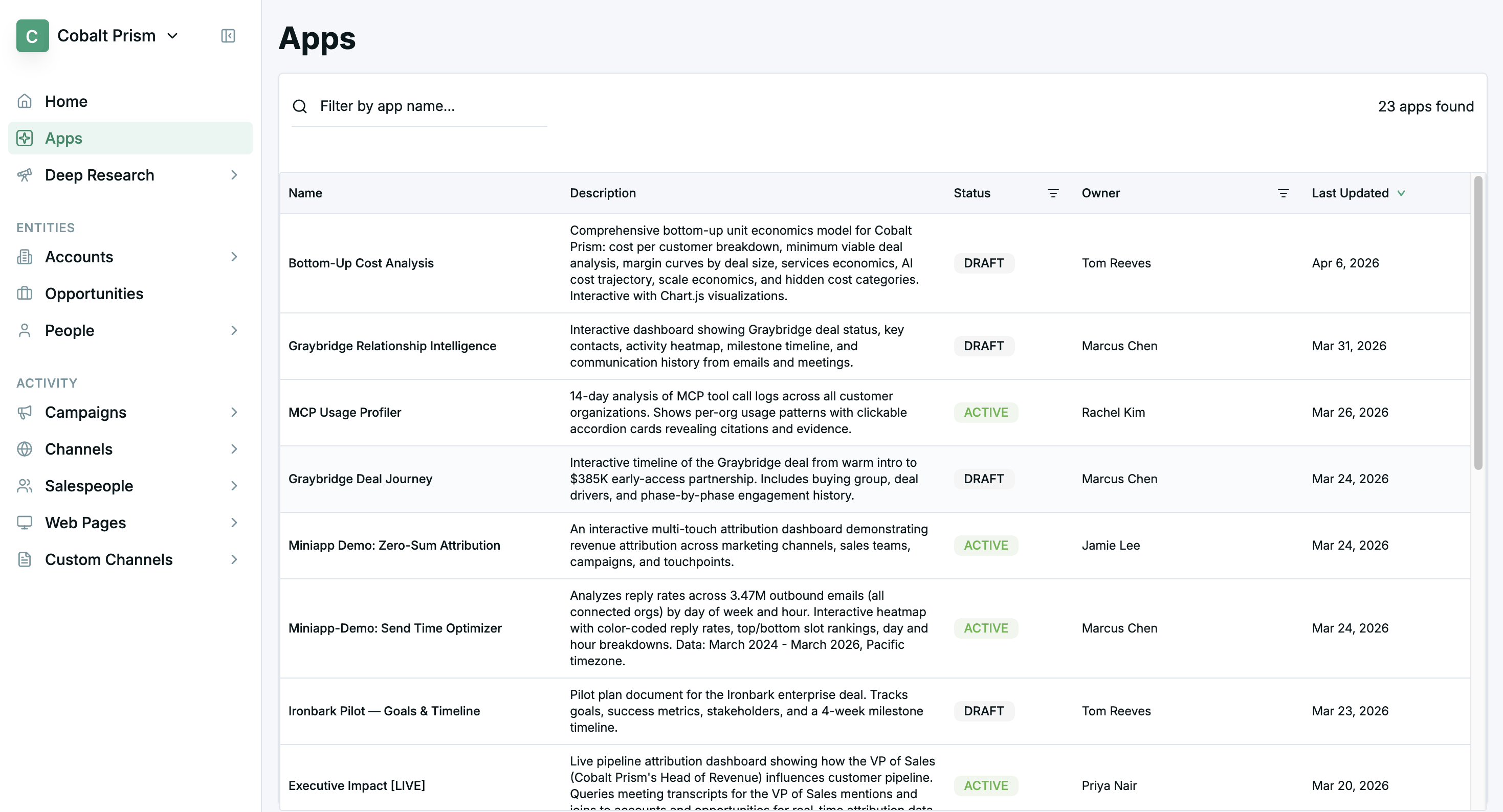
- The App List View page shows a list of custom mini-apps powered by Upside data and analytics.
- Filter list results by status and/or owner.
- Click any column header to sort the table by column values.
- Select any row to drill into a specific app view.
App Report Card View
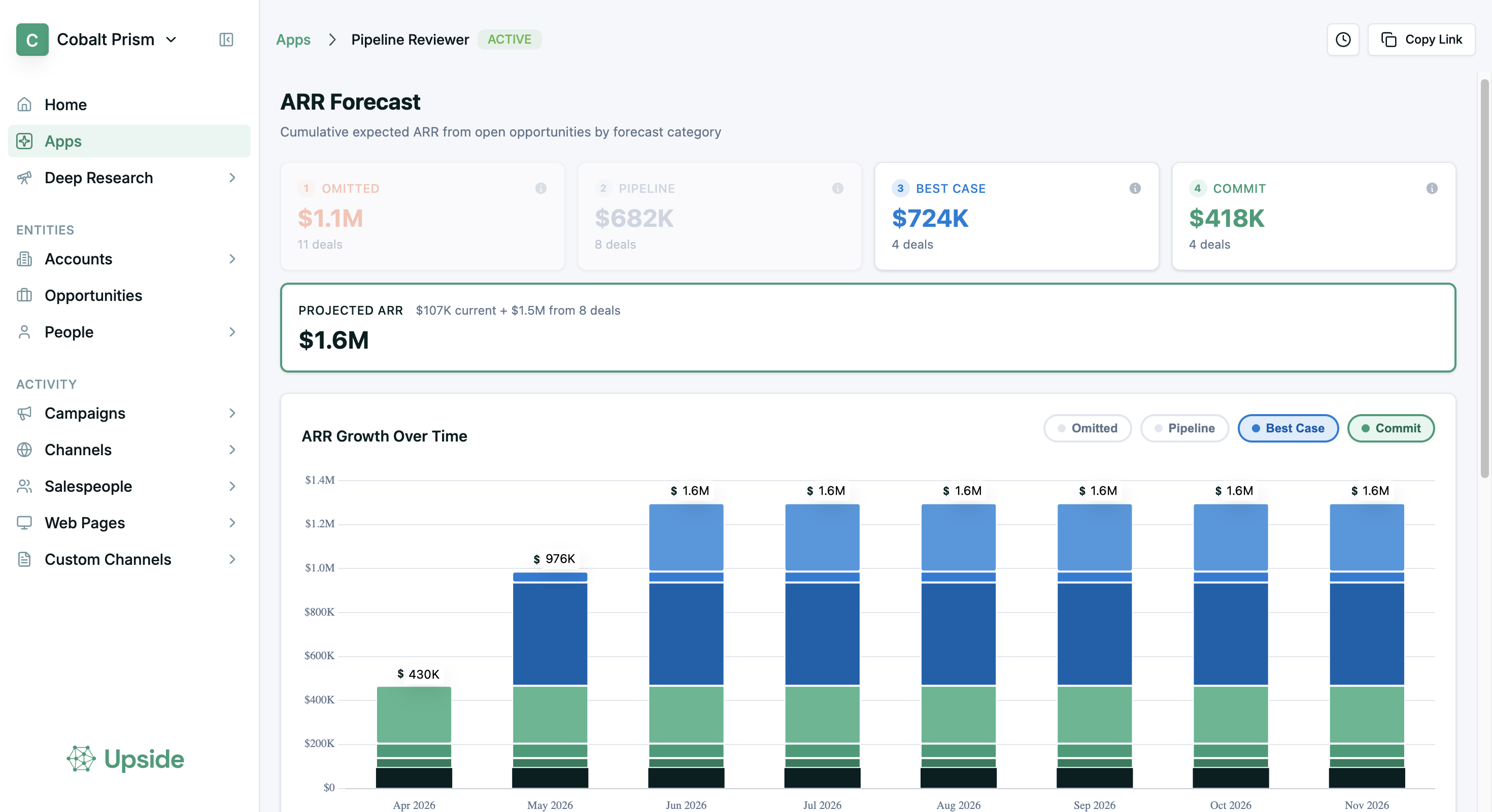
- Drilling into an App view gives a detailed analysis report.
App page functions

- Hide/show details: expands and collapses the miniapp description.
- Comments: comments control panel. The badge represents the number of unresolved comments.
- Share: opens sharing modal, allowing users to choose who can view or edit miniapps.
- Vertical menu: miniapp version control and history.
- Categories: assign custom org-wide tags to miniapps. Filter by these tags in the miniapp list view.
Comments
Leave threaded comments directly on any miniapp to discuss findings, flag issues, or coordinate next steps with your team.
How comments work
-
Open the Comments panel using the comments button in the app header. A badge shows the number of open threads.

-
Start a new comment thread on the app. Each thread supports replies one level deep.
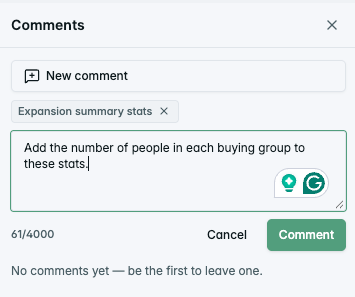
-
Resolve a thread when the discussion is complete. The thread author or anyone with edit access can resolve or reopen it.
-
Every thread has a shareable permalink — use the thread menu to copy a link that deep-links directly to that conversation.
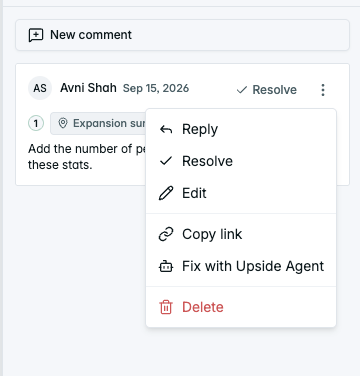
Open thread count
The Apps list shows an open thread count badge next to any app with unresolved comments, so you can see at a glance which apps need attention.
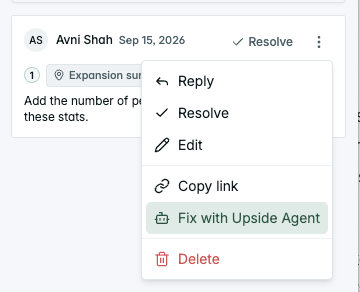
Fix with Upside Agent
If your organization has the in-dashboard agent enabled, each comment thread includes a "Fix with Upside Agent" action in the thread menu. Clicking it opens the agent with a prefilled prompt based on the comment — you review and approve before any changes are made.
Comments via MCP
Comment threads are also accessible through the MCP, so your agent can work with comments programmatically:
| Function |
|---|
| List comment threads on a miniapp |
| Reply to a thread as the authenticated user |
| Resolve a thread with a summary |
Notifications
Stay informed about comment activity without checking each app manually.
What triggers a notification:
- Someone posts a new comment thread on a miniapp you created
- Someone replies in a thread you've participated in
- Someone @mentions you in a comment
How you're notified:
- In-app feed — A bell icon in the sidebar shows your notifications. An unread dot appears when there's new activity. Open the feed to see all recent comment activity, mark items as read, or jump directly to the thread.
- Browser alerts (opt-in) — Short browser notifications even when the Upside tab is closed. Enable them from Settings → Notifications.
- Email (opt-in, off by default) — Choose between a daily digest at a time you pick, or immediate delivery (groups nearby activity into one email, so there's a short delay). Configure from Settings → Notifications.
@mentions:
Type @ in any comment to mention a teammate. Autocomplete shows people who have access to the app. Mentions always notify, even if the person has muted that app.
@mentioning someone does not give them access to the miniapp. They need existing access to view it.
Muting:
If a miniapp is generating too much comment activity, you can mute it:
- From the notification feed, click Mute this Miniapp on any notification
- From Settings → Notifications → Muted Miniapps, view and unmute apps
- Muting silences new-thread and reply notifications for that app. Direct @mentions still come through.
Miniapp Organization
As your library of miniapps grows, these features help you keep things manageable: pinning, categories, and the catalog builder.
Pinning
Pin your most-used apps so they always appear at the top of your Apps list.
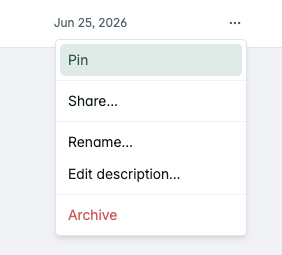
- Open the row actions menu (three dots) on any app and select Pin or Unpin.
- Pinned apps sort to the top of the list.
- Pins are personal — they're scoped to you within your organization and don't affect anyone else's view.
- You can pin up to 10 apps.
Categories
Add free-form category labels to any app to organize your library and filter by topic.
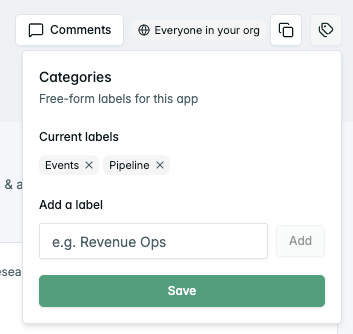
- Click the Tags button on an app to add category labels (e.g., "Pipeline Reports," "Events," "Attribution").
- Each app can have multiple categories.
- Categories are visible org-wide, so the whole team can filter by them on the Apps list.
- Use the category filter on the Apps list to narrow down to the apps you need.
Catalog builder
When your Apps list grows past 10 visible apps, a banner suggests building a catalog miniapp — a miniapp that organizes and indexes all your other miniapps, making them easier to browse and manage.

- Click "Design a catalog Miniapp" to open the agent with a prompt ready to customize (you can edit it first).
- Requires the in-dashboard agent to be enabled for your organization.
- The banner is dismissible per user.
Updated 11 days ago